School management system for primary and secondary schools
Enrollment, grades, attendance and communication with families in a single platform, set up with each institution's grading periods and scales.
Grade 7 A, Science
Grades for the period| Student | Grade | Performance |
|---|---|---|
| Andrea Solís | 89 | VG |
| Diego Vargas | 95 | E |
| Mariana Rojas | 82 | VG |
| Tomás Jiménez | 73 | G |
Class attendance: 96%
- 10 integrated modules
- Profiles for administrators, teachers, families and students
- Configurable periods and scales
- Multi-school networks
- Spanish and English
A school's information shouldn't live in four different places
Every teacher with their own spreadsheet, notices lost in group chats, records on paper. UnifyEdu brings all of it together in one system.
Grades in spreadsheets
Different formulas for each teacher and averages checked by hand at the close of every period.
Notices in group chats
Announcements mixed in with personal conversations, lost among other messages, with no way to know who read them.
Records and files on paper
Documents that are hard to find, back up and share with whoever needs them.
A different system for everything
Enrollment in one, attendance in another, communication in a third. Nobody has the full picture.

Everyone sees what is relevant to them
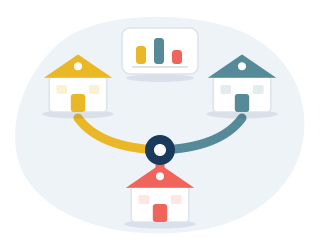
One system with different views for each profile. A person can have more than one profile, for example teacher and family member.
School network
For organizations that manage more than one institution from a single place.
- Every school in the network with a single account
- A switcher to move from one school to another
- Administrators for each institution
Administration
Leadership and office staff set up the school year, organize the calendar and follow day-to-day operations.
- Enrollment, grade levels and classes
- Periods, scales and assessment components
- Announcements to the whole school, a grade level or a class

Teacher
Everything for their classes in one place, without homemade formulas.
- Grades and attendance by class
- Assignments, forms and class materials
- Messages with families and students

Families
Families follow progress without waiting for report cards.
- Grades and attendance for each child
- Messages with each child's teachers
- School announcements, events and meetings

Student
Their own progress, their assignments and the materials for each subject.
- Grades by subject and by period
- Pending assignments and due dates
- Materials shared by each teacher

Features
Ten modules that share the same data: what is recorded in one shows up wherever it is needed.
Grades and report cards
Attendance
Forms and assignments
Communication
Calendar and events
Student records
Behavior
Class materials
Bulk import
Adapts to each institution's way of assessing
Periods, scales and components are set up once, and the whole school works with the same rules.
- School-year periods. Closing and averages by period.
- Configurable scales. Numeric or symbolic, depending on the grade level.
- Components and weights. Each subject defines how its grade is made up.
- Official records and student file. Formal records for each student over the years.
- EExcellent
- VGVery good
- GGood
- FFair
- IInsufficient
Example of a symbolic scale. Each school defines its own scales and equivalences.
Organized communication with families
Four channels within the same system: one for official notices and three for conversation.
Announcements
Official notices to the whole school, a grade level, a class or a section, with PDF attachments. They arrive as a notification and do not accept replies. The sender and the administration can see who has read it and who has not yet.
From the administration and teachers to the community
Formal messaging
Messages with a subject line, attachments and reply threads, overseen by the administration.
Between teachers and families
Chat
Real-time conversations, one-to-one or with a student's families, and notices from a teacher to their whole class.
Teachers, families and students
Internal social network
Posts about school life: activities, achievements and news from each class.
Visible only to the school community
Pricing
Price per student, per month
The amount depends on the number of students and on whether the institution belongs to a network. Quotes are based on the school's actual enrollment.
Frequently asked questions
Does it adapt to each institution's assessment system?
Yes. Periods, numeric or symbolic scales and assessment components are configured for each institution.
Does it work for a network of several schools?
Yes. A network profile accesses all of its institutions with a single account, each with its own administration.
What do families see?
School announcements, the school wall and, for each child, their behavior, attendance, report card, forms, classes, calendar and student record.
Can existing data be imported?
Yes. Students and families are loaded in bulk from a CSV file, with a step to map each column to its field.
Which devices can it be used on?
In the browser on a computer, a tablet or a phone.
Is it available in English?
Yes. The platform works in Spanish and English, which is useful for bilingual schools.
How is the price calculated?
Per enrolled student, per month. Quotes are based on the school's actual enrollment.
How is a demo requested?
The "Request a demo" button sends an email to the UnifyEdu team to arrange a session.
A demo built on the school's real structure
Grade levels, classes and scales as they work today, so the platform can be evaluated with real cases.
Email: hola@unifyedu.net